Best Smart Home Security Systems Compared (2026 Buyer’s Guide)
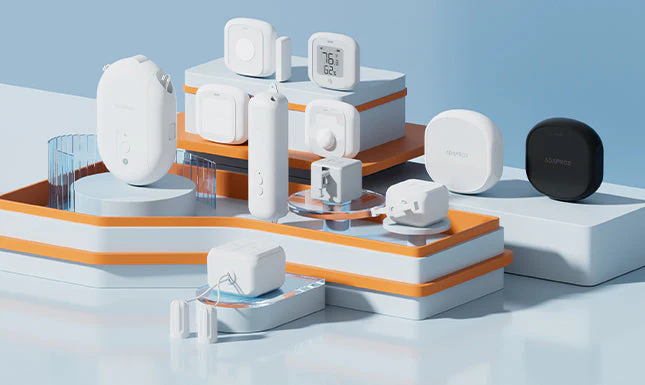
Every time I open a shopping app, there’s a new smart camera or alarm system claiming to be “the best.” Most of them are decent. Very few are actually worth what they charge. This guide compares smart home security systems honestly, based on what actually matters for Indian homes in 2026.
What to Actually Look for in a Smart Security System
Quick answer: The most important features in a smart home security system are reliable local + cloud storage, two-way audio, night vision range, app reliability during weak internet, and whether it works without a monthly subscription.
Don’t get distracted by flashy AI-detection buzzwords. Focus on the basics working reliably first — a camera that disconnects during power fluctuations is useless, no matter how smart its object detection is.
Category 1: Video Doorbells
Video doorbells have become the entry point for most people getting into smart security.
- Basic wired doorbells (₹2,500-₹5,000) — decent video quality, need existing doorbell wiring
- Battery-powered smart doorbells (₹5,000-₹9,000) — easier installation, battery needs recharging every 1-2 months
- Premium doorbells with AI person detection (₹9,000-₹15,000) — fewer false alerts, better night vision
I’ve used both wired and battery versions — honestly, the wired ones are more reliable long-term since you’re not managing battery charge cycles.
Category 2: Indoor and Outdoor Cameras
- Basic 1080p WiFi cameras: ₹1,500-₹3,500 each
- 2K/4K cameras with better night vision: ₹4,000-₹8,000
- PTZ (pan-tilt-zoom) cameras for larger outdoor coverage: ₹6,000-₹15,000
For most apartments, 2-3 basic cameras covering the main entrance and living area are enough. Don’t over-invest in coverage you don’t need.
Category 3: Smart Locks
Quick answer: Smart locks range from ₹8,000 for basic fingerprint/PIN models to ₹25,000+ for premium models with app control and multiple unlock methods — they’re worth it mainly for rental properties or frequent guest access needs.
- Fingerprint + PIN locks: ₹8,000-₹15,000
- App-controlled locks with remote access: ₹15,000-₹25,000
- Locks with multiple unlock methods (fingerprint, PIN, key, app, card): ₹20,000-₹35,000
Worth noting — smart locks drain batteries faster than people expect, especially fingerprint sensors used frequently. Budget for battery replacement every 6-8 months.
Category 4: Full Home Security Systems
These bundle sensors, cameras, and a central hub — think motion sensors, door/window sensors, and a control panel that connects everything.
- Basic DIY kits (camera + 2-3 sensors): ₹8,000-₹15,000
- Mid-range systems with professional monitoring option: ₹15,000-₹30,000
- Premium systems with 24/7 monitored response: ₹30,000+ plus monthly monitoring fees
Subscription Costs: The Hidden Ongoing Expense
This is where many people get surprised. Cloud storage for camera footage often needs a subscription — typically ₹100-₹500 per month per camera for extended storage (30 days vs the free 3-7 days most brands offer).
If you’re budgeting for a multi-camera system, factor in this recurring cost, not just the upfront hardware price.
Comparing Storage Options
- Local storage (SD card/hub) — one-time cost, no ongoing fees, but footage lost if device is stolen/damaged
- Cloud storage (subscription) — safer if the device itself is compromised, but recurring monthly cost
- Hybrid (both) — best of both, costs slightly more upfront
What I’d Actually Recommend for Different Homes
- Apartment/flat: Video doorbell + 1 indoor camera is usually sufficient
- Independent house: 2-3 outdoor cameras + video doorbell + door sensors
- Frequent travelers: Add a smart lock and app-based monitoring for remote access
[link to related guide on home security for renters here]
Frequently Asked Questions
Do smart home security systems work during power cuts? Most have battery backup for a few hours, but check this specifically before buying — not all models include it.
Is a monthly subscription mandatory for smart cameras? No, most cameras work without subscription using local SD card storage; subscriptions just extend cloud storage duration.
Can I install a smart security system myself? Yes, most consumer systems are DIY-friendly with app-guided setup. Professional installation is only needed for wired or complex multi-sensor systems.
Which brand offers the best value in India for 2026? This changes often with new launches — compare based on app reliability and local support availability rather than brand name alone.
Do smart locks compromise security compared to traditional locks? Not inherently, but they add points of failure (battery, software) that traditional locks don’t have. A good hybrid approach is a smart lock with a physical key backup.
Conclusion
Smart home security systems in 2026 offer genuinely useful protection, but the right setup depends entirely on your home type and budget. Start small — a doorbell and one or two cameras cover most basic needs — and expand only if you find gaps in coverage. Don’t get pulled into buying the most expensive system just because of marketing; focus on reliability over feature lists.